

About This File
Download OTT Navigator IPTV . Get the latest official APK for Android TV, Firestick, and Smartphones. Learn how to configure portal setup, Xtream Codes, and M3U playlists on the best IPTV media player.
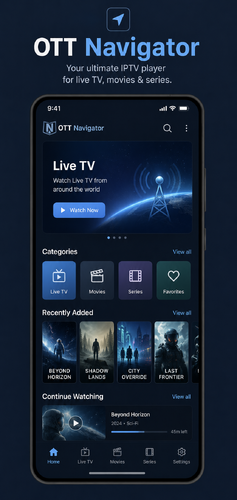
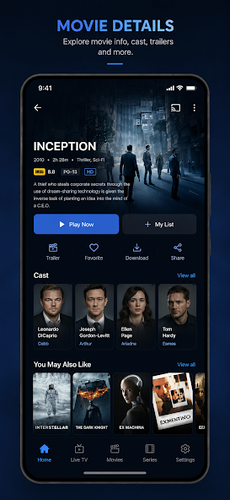
If you are looking for a highly customizable, feature-rich, and professional IPTV client, OTT Navigator IPTV is arguably the best choice available for Android devices. Developed by Vladislav Sorokin, this application acts as a powerhouse media player designed for advanced users who want total control over their streaming experience.
Unlike basic players, OTT Navigator automatically groups channels based on genres, supports multi-provider setups, and offers studio-grade customization options.
📌 Key Features & Advantages
-
Provider Auto-Grouping: Automatically organizes your channels into categories (Movies, News, Sports, etc.) and supports multiple IPTV providers simultaneously.
-
Picture-in-Picture (PiP) & Studio Mode: Watch multiple streams at the same time or keep a floating window active while browsing other apps.
-
Timeshift & Archive Support: Catch up on missed shows easily if your IPTV provider supports catch-up/archive features.
-
Advanced EPG Integration: High-performance Electronic Program Guide (EPG) rendering with automatic timezone syncing.
-
Hardware Accelerated Player: Smooth zapping speeds and native codec support for $4\text{K}$ and $H.265/HEVC$ streams.
⚙️ Technical Specifications
-
Developer: Vladislav Sorokin
-
Package Name: com.ottnavigator.iptvnavigator
-
Platform: Android TV, Firestick, Nvidia Shield, Android Smartphones & Tablets
-
Category: Premium Media Players / IPTV Clients
-
License: Free (Offers In-App Purchases for Premium Features)
📥 Download Links
⚠️ Reminder: OTT Navigator IPTV does not contain any preloaded playlists or media content. You must provide your own Xtream Codes API details, MAC address configuration, or M3U link to access streams.
-
Official Google Play Link: Download from Google Play Store
💬 Community Discussion & Support
Are you using the free version or did you upgrade to premium? If you need help configuring your Xtream Codes API or setting up the MAC Address/Stalker Portal emulation inside the app, drop a comment below and our community team will guide you through the setup process!