


About This File
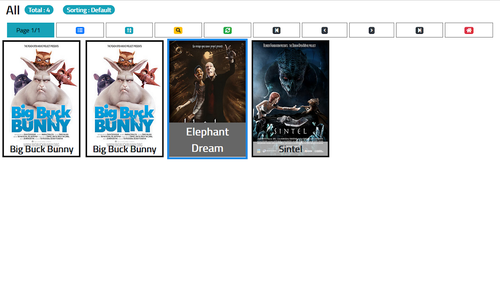
SmartOne IPTV is one of the most widely used and multi-platform media player applications available for Smart TVs, Android TV boxes, Firestick, and mobile devices. Known for its multi-device management web portal, fast channel zapping, and multi-playlist integration, SmartOne provides a seamless interface for streaming live channels, Video on Demand (VOD), and TV series.
Whether you prefer logging in via Xtream Codes API credentials, M3U playlist URLs, or activating your playlist remotely using your device's MAC address, SmartOne offers a secure and customizable user experience.
Technical App Specifications
| Specification | Details |
| App Name | SmartOne IPTV Player |
| Package ID |
build.smartone_iptv.com
|
| Supported Platforms | Android TV, Fire TV, Samsung Tizen, LG webOS, Mobile Devices |
| Compatibility | Android 5.0 and higher |
| Supported Protocols | Xtream Codes API, M3U / M3U8 Playlist, MAC Address Portal |
| Trial Period / Price | 14-Day Free Trial (One-time license activation via MAC) |
Key Features & Highlights
-
Multi-Device Management: Easily manage playlists, change themes, or send custom notifications across all your household TVs using the official web portal.
-
Fast Zapping Engine: Optimized player architecture ensuring quick channel switching and smooth EPG guide updates.
-
Multi-Account & Multi-Playlist: Add, edit, or toggle between multiple Xtream API connections or M3U playlist files within the app.
-
Parental Controls & Category Hiding: Secure sensitive channels with a customizable PIN lock and hide unwanted content categories.
-
Catch-Up & TV Archive: Full support for timeshift and TV catch-up features offered by your IPTV service provider.
-
Multi-Language Support: Fully localized in over 20 languages including Arabic, English, French, Spanish, and German.
How to Setup & Activate Playlists on SmartOne IPTV
Method 1: Direct Xtream Codes Login (On Device)
-
Launch SmartOne IPTV on your Android device.
-
Select Add Account / Login with Xtream API.
-
Input your server URL, Username, and Password provided by your IPTV vendor.
-
Click Login to load live channels, VOD movies, and EPG schedules.
Method 2: Remote MAC Activation (Via Web Portal)
-
Note the MAC Address displayed on the home screen when you launch SmartOne IPTV.
-
Go to the official website upload page (
[smartone-iptv.com/upload-playlist](https://smartone-iptv.com/upload-playlist)). -
Enter your MAC Address, paste your M3U Playlist URL or Xtream credentials, and click Generate / Save.
-
Restart the SmartOne application on your TV to sync the playlist instantly.
How to install XAPK:
Method 1: Automatic Installation (Easiest)
Using an automated installer app handles both the .apk installation and .obb file placement automatically.
Download a trusted installer app like XAPK Installer, ZArchiver, or APKPure App from the Google Play Store or official site.
Open the installer app and enable "Allow from this source" when prompted so it can install external applications.
Locate your downloaded .xapk file within the installer app and tap Install. The tool will unpack and install the app automatically.
Method 2: Manual Installation (No Third-Party Installer Needed)
If you prefer not to install a third-party installer app, you can manually extract and place the files yourself.
Open your file manager, locate the .xapk file, and rename its extension from .xapk to .zip (e.g., app.xapk $\rightarrow$ app.zip).
Unzip the file using your phone's built-in archive extractor or an app like ZArchiver. Inside, you will find an .apk file and an Android/obb folder.
Copy the folder found inside the extracted Android/obb/ directory and paste it into your phone's internal storage path:
Internal Storage $\rightarrow$ Android $\rightarrow$ obb
Return to the extracted folder, tap the .apk file, and tap Install.
📌 Note for Android 11+ users: If your file manager blocks access to the
Android/obbdirectory due to Android's Scoped Storage restrictions, use Method 1 or a file manager like ZArchiver / Files by Google to allow access.
Download Links Section
⚠️ Notice: SmartOne IPTV is purely a video player app. It does not provide, host, or sell any streaming channels or media subscriptions. You must supply your own legitimate playlist URL or login credentials.
-
📲 Google Play Store (Official): Download SmartOne IPTV on Play Store
-
🌐 Official Web Activation & Playlist Upload: SmartOne IPTV Web Portal